> For the complete documentation index, see [llms.txt](https://docs.kernel.ai/llms.txt). Markdown versions of documentation pages are available by appending `.md` to page URLs; this page is available as [Markdown](https://docs.kernel.ai/concepts/feedback-loop.md).

# Feedback loop

The feedback loop is how you tell Kernel when something about an account looks wrong - the wrong company was matched, a headcount is off, a parent is missing - and how you follow that issue through to resolution.

You raise an issue, the Kernel data team triages and resolves it within 48 hours, and you see the outcome without having to chase anyone.

{% hint style="info" %}
The full feedback experience lives in **Salesforce** for now - the Send Kernel feedback button captures the account context automatically and files a tracked ticket. You can also raise feedback from the **Kernel app**, and both routes create the same kind of ticket.
{% endhint %}

## How to raise feedback

You can raise feedback in two places. Both create the same kind of tracked support ticket for the Kernel data team.

#### From Salesforce - "Send Kernel feedback"

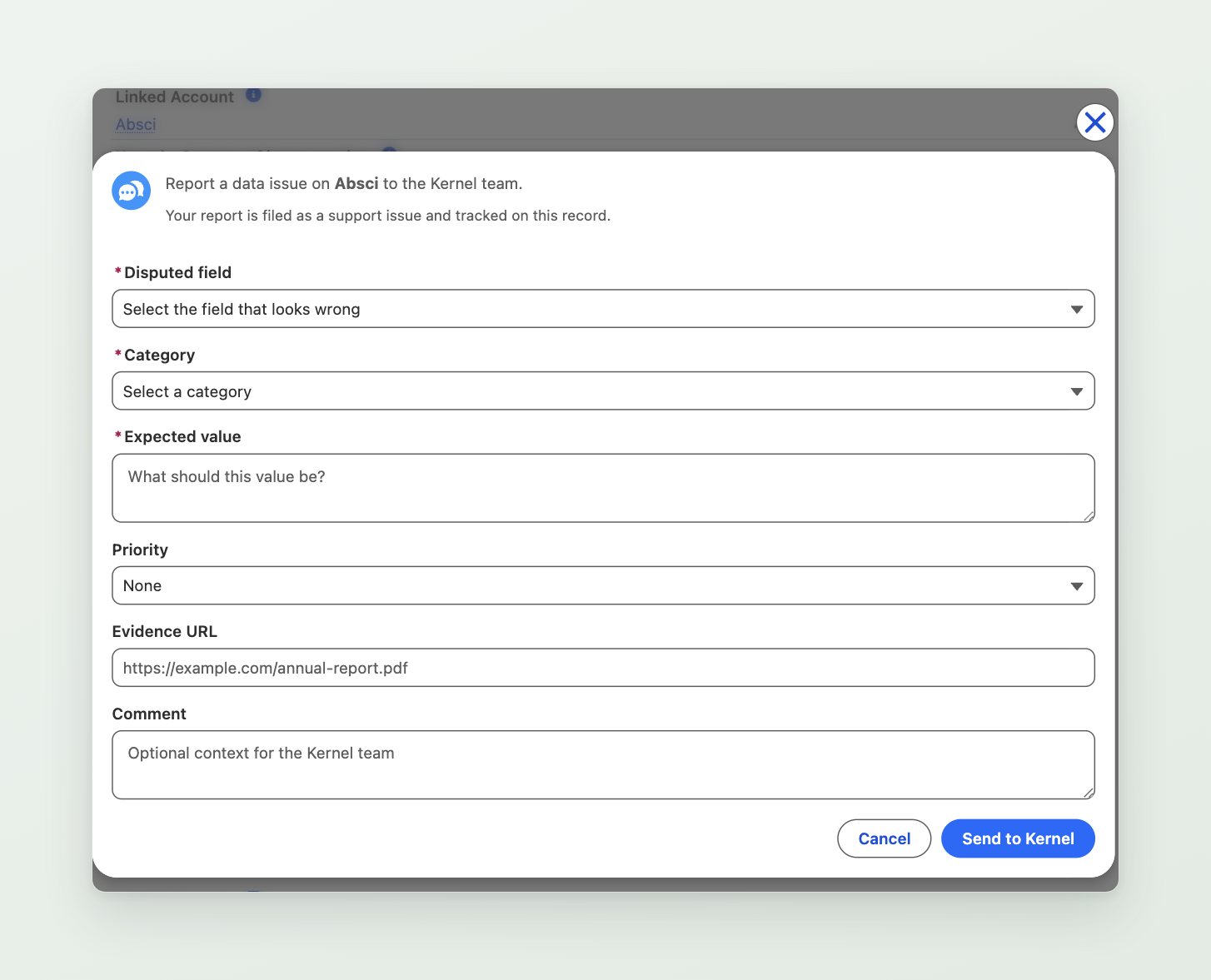
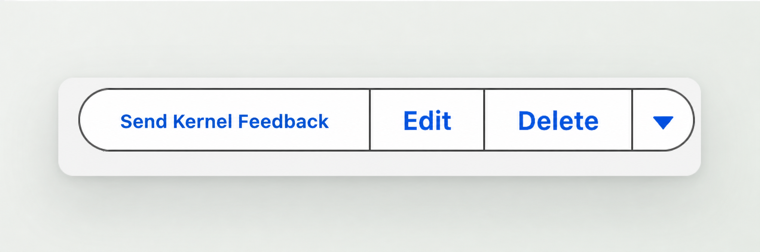
On an **Account** or **Kernel Account** record, click the **Send Kernel feedback** button. A short form opens where you choose the field you disagree with, tell us the value you expected, and add any evidence or context.

<figure><img src="/files/doAssCzrto1Mgg4jB5Zm" alt="The Send Kernel feedback button in the action bar of a Salesforce record."><figcaption><p>Send Kernel feedback sits in the record action bar, on both Account and Kernel Account records.</p></figcaption></figure>

The current Kernel value is captured for you automatically, so you only need to describe what is wrong.

The button ships with Kernel Salesforce package version 3.11 and later. See [Send Kernel feedback](/integrations/salesforce-integration/report-data-issues.md) for how to switch it on and add it to your Account pages.

<figure><img src="/files/N40UVzu57w262OIlygXP" alt="The Send Kernel feedback form in Salesforce, with fields for the disputed field, category, expected value, priority, evidence URL, and comment."><figcaption><p>The Send Kernel feedback form on a Kernel Account record.</p></figcaption></figure>

#### From the Kernel app

In the Kernel app you can reject an identity match or leave a note directly on an account. Kernel turns that note into a feedback ticket in the same way.

## What happens next

Every piece of feedback becomes a support ticket for the Kernel data team.

* We triage the issue and investigate the account.
* We resolve it within 48 hours.
* You can read the outcome and the reasoning behind it once the issue is resolved.

## Tracking feedback and outcomes

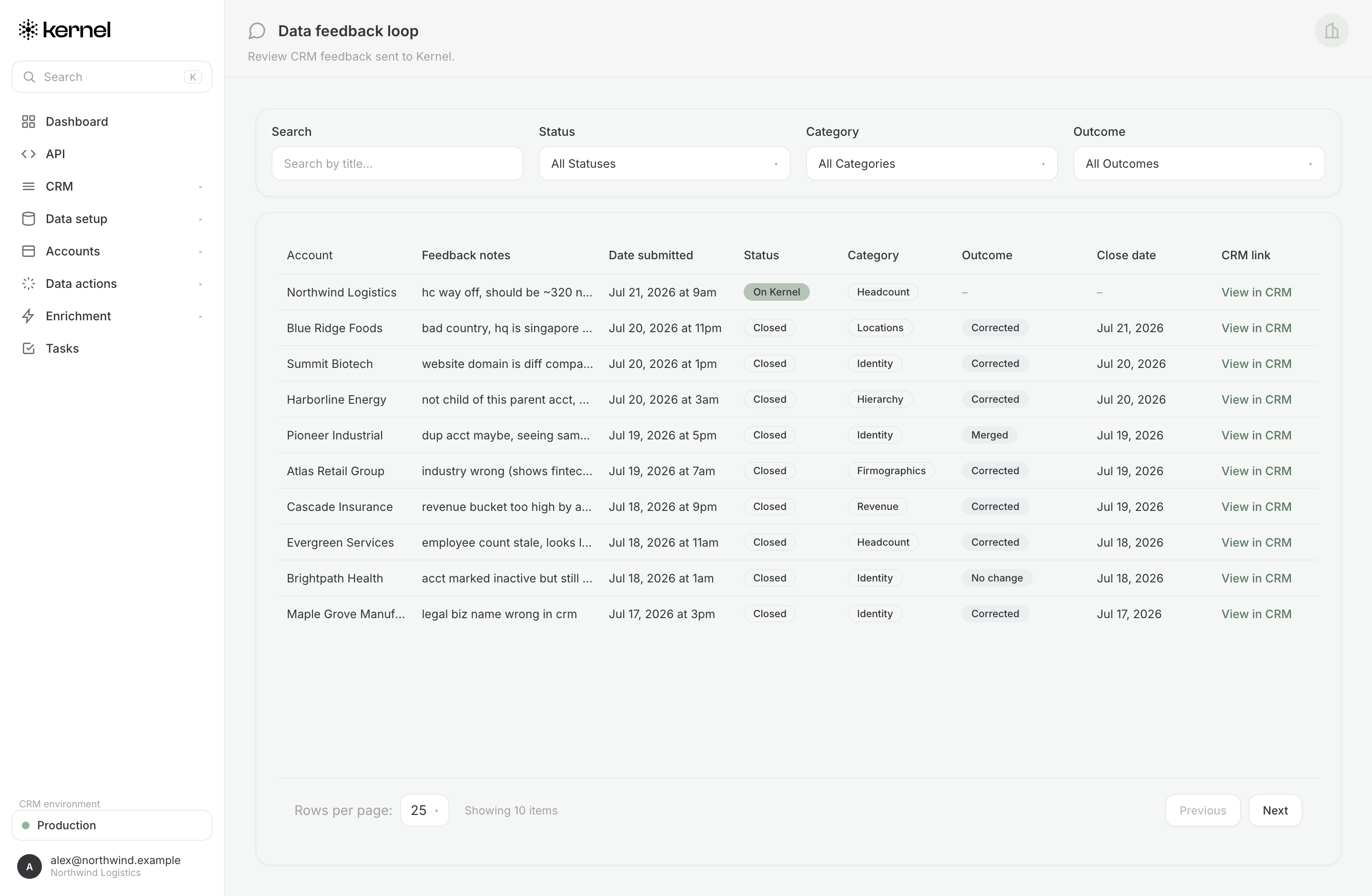
You can follow the status of every issue you have raised on the **Data feedback loop** page of the Kernel app, at [app.kernel.ai/feedback](https://app.kernel.ai/feedback).

The page lists each piece of feedback as a row, showing:

* the **account** the feedback was raised against,
* the **disputed field** and the value you expected,
* the **status** as it moves from submitted, through in review, to resolved, and
* a **link back** to the account in your CRM.

Click into a row to see the full detail: what was submitted, the resolution the data team reached, and the reasoning behind it - so you can see not just that an issue was fixed, but why. Feedback from every rep in your organisation appears here, giving your team one shared view of what has been raised and where it stands.

<figure><img src="/files/hPZ8rsRlyZM4jPYMAVzO" alt="The Data feedback loop page in the Kernel app, listing each account&#x27;s feedback with its disputed field category, status, outcome, close date, and a link back to the CRM record."><figcaption><p>The Data feedback loop page in the Kernel app, where you can track every issue raised and its outcome.</p></figcaption></figure>

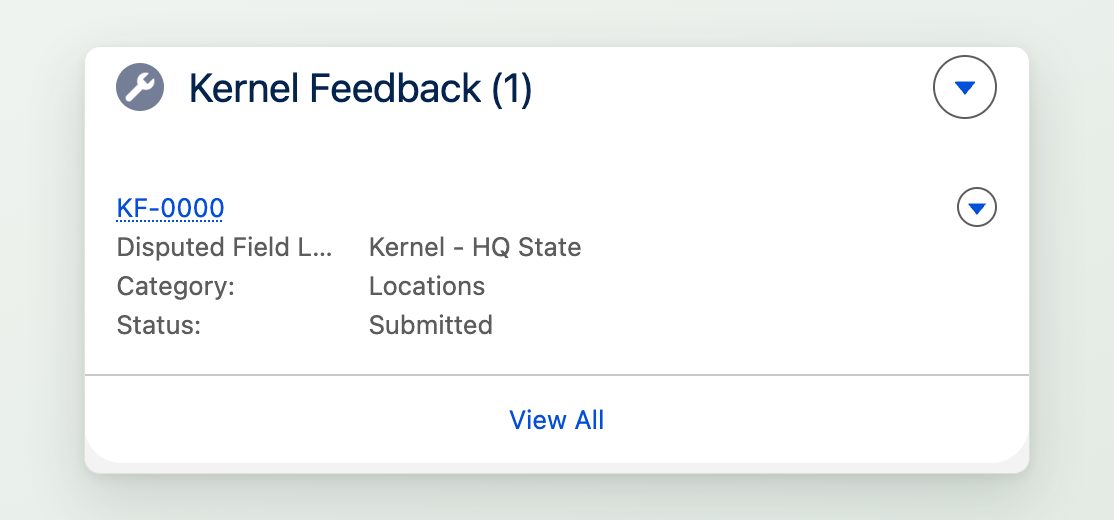
When you raise feedback from Salesforce, the issue is also stored on the **Kernel Account** record as a **Kernel Feedback** related list, so your team can see the history of everything reported for an account without leaving Salesforce.

<figure><img src="/files/s60DJuUHu96Qd82Nmacc" alt="The Kernel Feedback related list on a Kernel Account record, showing a submitted feedback item with its disputed field, category, and status."><figcaption><p>Submitted feedback appears in the Kernel Feedback related list on the Kernel Account, with its status.</p></figcaption></figure>

{% hint style="info" %}
**Using the legacy feedback field?** Some Kernel implementations still collect feedback through a Salesforce custom field (`kernel_feedback__c`, labeled "Kernel - Feedback") that Kernel reads on a schedule. This method is still supported. When an issue raised through the field is resolved, the field value is updated with a green tick (✅) and the resolution note. New implementations use the **Send Kernel feedback** form described above.
{% endhint %}