> For the complete documentation index, see [llms.txt](https://docs.kernel.ai/llms.txt). Markdown versions of documentation pages are available by appending `.md` to page URLs; this page is available as [Markdown](https://docs.kernel.ai/guides/custom-industries.md).
# Plan your custom industries
A short guide to designing and testing custom industry categories.
Custom industries should reflect how your team sells, serves, or reports on accounts. Start with a few broad categories. Add detail when it changes a decision.
## Choose a purpose
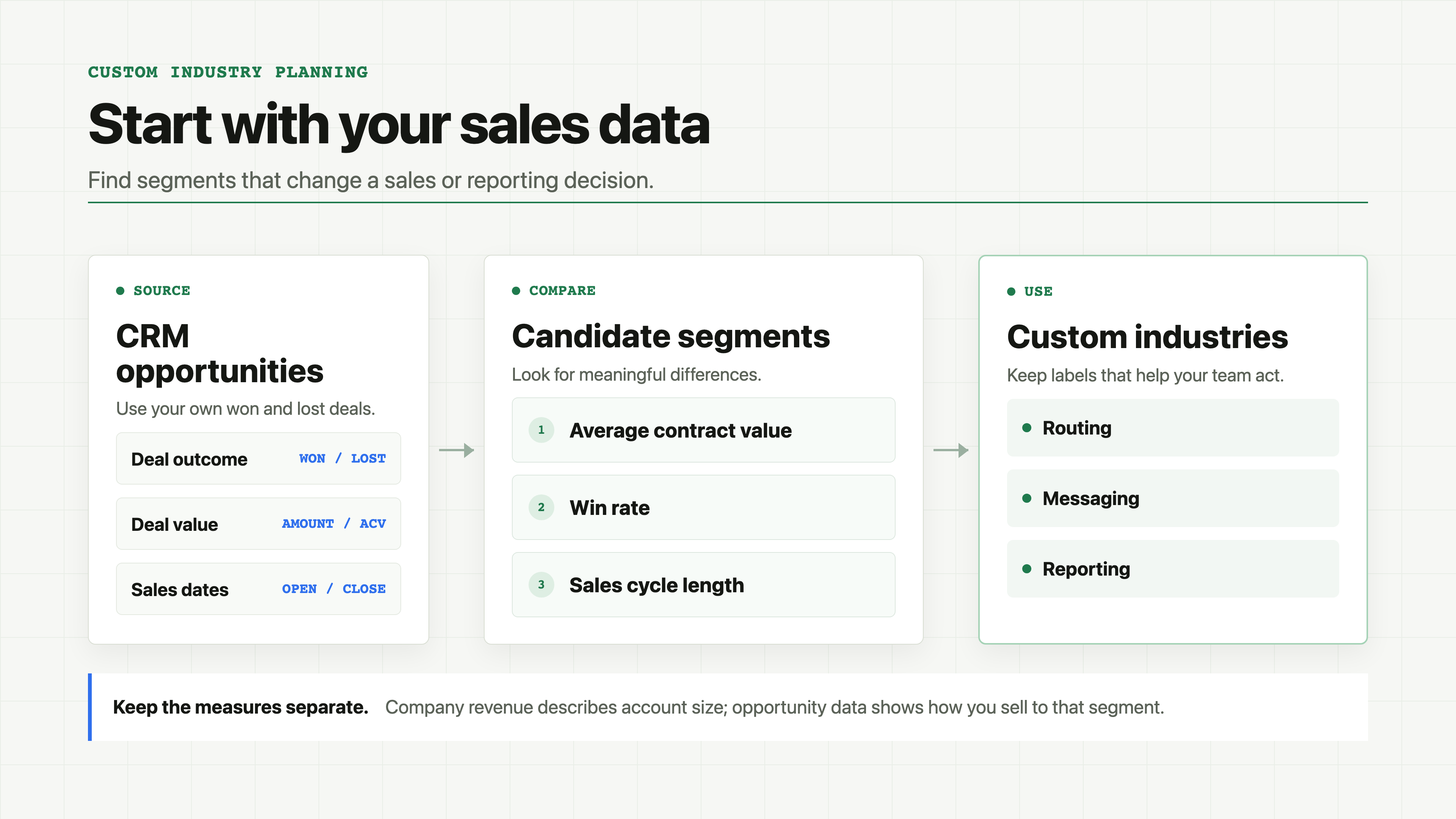
Decide what the labels will drive, such as routing, messaging, territory planning, or reporting. Review your customers and CRM opportunities with the teams that use those labels. Where you have enough data, compare average contract value (ACV), win rate, and sales cycle across candidate segments.
Use opportunity values for this analysis. A company's estimated revenue describes its size, not what it spends with you.
Use your own opportunity data to find segments that change a decision.
## Define clear boundaries
For each category, write a short definition, what belongs, what does not, and a few real examples. Add a subcategory only when the extra detail helps your team act or report differently. Make categories as distinct as you can.
Decide when to use **Other**. Also decide whether a blank subcategory means that no finer label applies or that the account needs review.
## Test before a full run
Test a sample of customers, prospects, edge cases, and accounts with limited evidence. Review the assigned labels and Kernel's reasoning with people who know those accounts. Tighten definitions where accounts are misclassified or the evidence is weak.
Agree on the schema and sample results with the business owner before classifying the full CRM. Later schema changes can require accounts to be classified again.
Review the assigned labels and reasoning on a mixed sample before scaling.
See [Industry (custom)](/data/firmographics/custom-verticals.md) for how classification works and [Custom vertical modifications](/platform/enrichment/custom-verticals.md) to edit the schema in Kernel.