> For the complete documentation index, see [llms.txt](https://docs.kernel.ai/llms.txt). Markdown versions of documentation pages are available by appending `.md` to page URLs; this page is available as [Markdown](https://docs.kernel.ai/platform/data-setup/auto-merging.md).
# Auto merging
Choose which inbound duplicates Kernel merges automatically
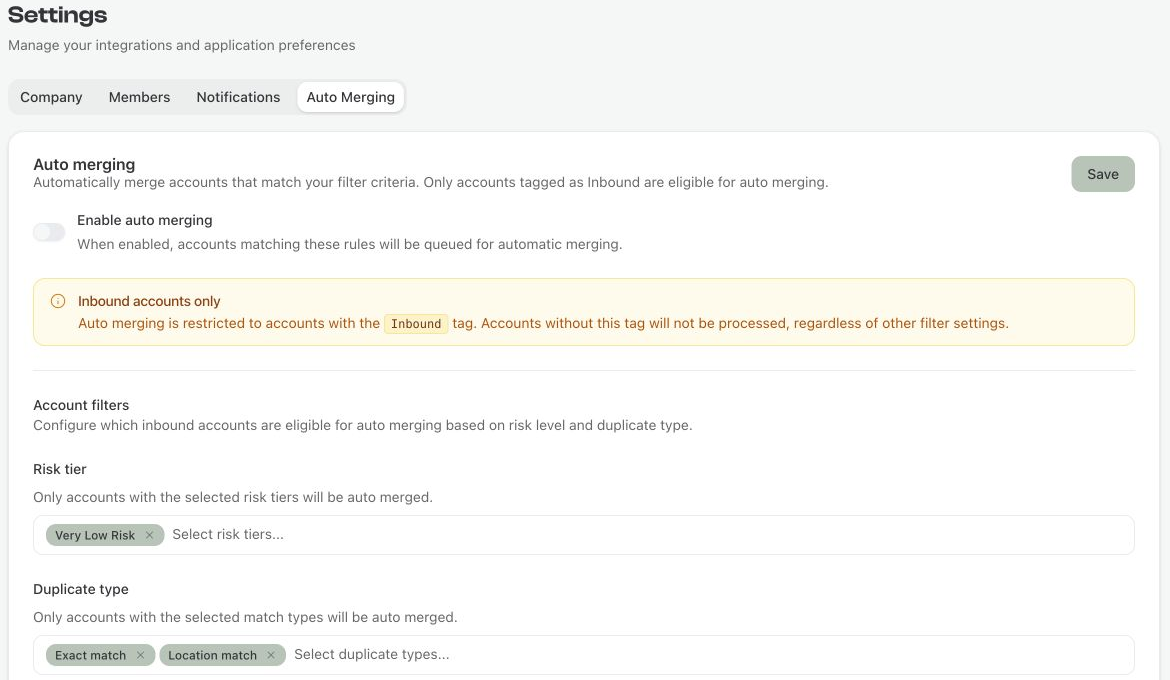
Open [Settings > Auto Merging](https://app.kernel.ai/settings?tab=auto-merging) to merge eligible inbound duplicates automatically. Kernel checks these settings when it processes inbound accounts. Saving the settings does not immediately run a merge.
## Choose the accounts to include
1. Turn on **Enable auto merging**.
2. Choose the **Risk tier** values to include.
3. Choose the **Duplicate type** values to include.
4. Review the safeguards below, then select **Save**.
The settings are saved for the selected Salesforce environment.
Choose the risk tiers and duplicate types to process automatically.
Only duplicates tagged **Inbound** are eligible. Kernel checks each duplicate separately, so a group can merge its eligible duplicates while leaving the others in place. These filters apply to the duplicate records being removed; the primary account that survives does not need to be an inbound record.
The available risk tiers are Very Low Risk, Low Risk, Medium Risk, and High Risk. The duplicate types are Exact match, Location match, Regional match, Trading match, and Website match. See [Cleaning rules](/platform/data-setup/cleaning-rules.md#duplicates) for how duplicate types are treated.
Choose at least one risk tier. Leaving all risk tiers empty matches no accounts. Leaving all duplicate types empty removes the duplicate-type restriction. To stop automatic merging, turn off **Enable auto merging** and save.
## Safeguards
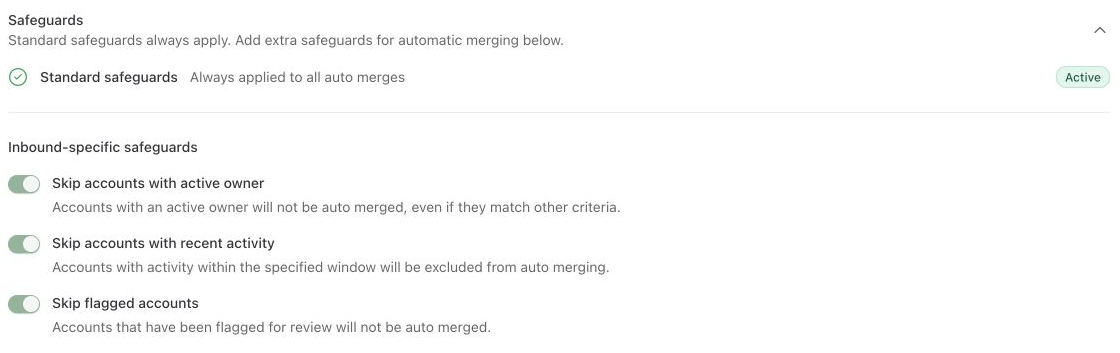
Standard safeguards remain active for automatic merging. Safeguarded duplicates are excluded, even if **Allow merging safeguarded accounts** is on for manual merges.
| Setting | What it skips |
| -------------------------------------- | --------------------------------------------------------------------------------------------------------- |
| **Skip accounts with active owner** | Duplicates whose owner is classified as active. See [Active users](/platform/data-setup/active-users.md). |
| **Skip accounts with recent activity** | Duplicates with activity in the last 90 days. |
| **Skip flagged accounts** | Merge groups flagged because an earlier action had issues. |
Add exclusions for active owners, recent activity, and earlier action issues.
Automatic merges use your saved [survivorship rules](/platform/actioning/merge.md#how-field-values-are-merged) to decide which field values the primary account keeps. Review results on the **Actioned** tab of [Merge accounts](/platform/actioning/merge.md).